New accounts get 5 free credits = 1 complete song requestClaim now
AI Music Generator . MiniMax Music 3.0
MiniMax Music 3.0 AI Music Generator
Turn a prompt or your own lyrics into a complete song with vocals, melody, instruments, and structured arrangements. Use MiniMax Music 3.0 for vocal tracks or instrumental music directly in your browser.
Describe the sound you want, add lyrics when you have them, or choose an instrumental workflow. MiniMax Music 3.0 uses your creative direction to build the vocals, instrumentation, arrangement, and overall musical feel.
Audio Examples
Hear What MiniMax Music 3.0 Can Create
MiniMax Music 3.0 can move from intimate acoustic songs to layered electronic productions, cinematic instrumentals, pop hooks, R&B vocals, and more. Listen to different examples to understand how changes in genre, instrumentation, mood, and vocal direction can shape the final track.
InstrumentalMiniMax Music 3.0
Midnight Drive
Lo-fi Hip-hop
Prompt
“Chill lo-fi hip-hop instrumental with soft dusty drums, gentle vinyl crackle, warm electric piano chords, and a mellow bassline. 78 BPM, relaxed late-night mood, simple loop-friendly structure with subtle dynamics, warm lo-fi production.”
VocalMiniMax Music 3.0
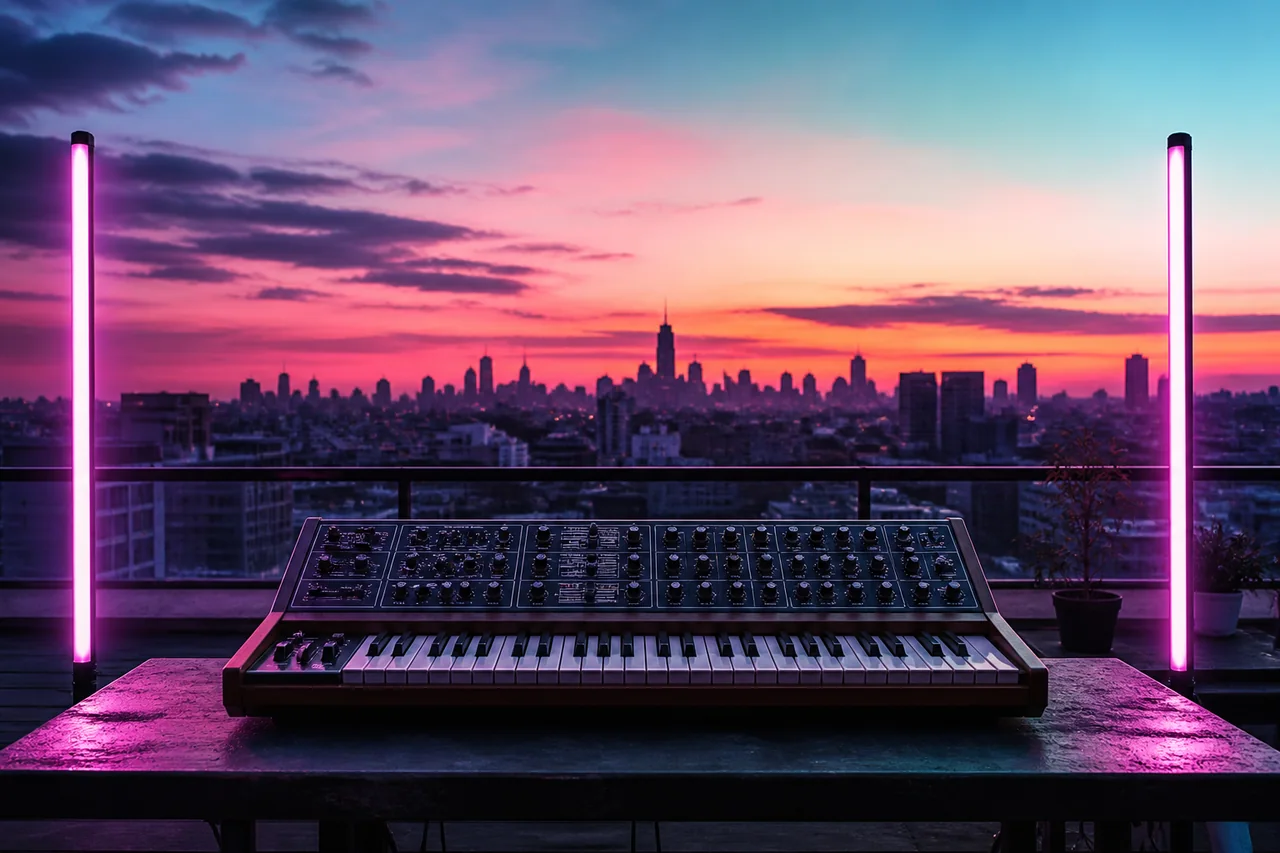
Neon Sunrise
Synthwave
Prompt
“Upbeat synthwave pop song with driving analog bass, shimmering retro synth pads, punchy 80s drums, and a soaring female vocal hook. 112 BPM, bright and nostalgic, verse-chorus structure with a big anthemic chorus, polished radio-ready production.”
VocalMiniMax Music 3.0
Aurora Skies
Ambient / Electronic
Prompt
“Dreamy ambient electronic track with airy synth pads, gentle pulsing arpeggios, and ethereal female vocals. Slow tempo, spacious and hypnotic, gradually building layers of texture, soft reverb-heavy production for a late-night drive.”
VocalMiniMax Music 3.0
Golden Hour
Acoustic Pop
Prompt
“Warm acoustic pop song with fingerpicked acoustic guitar, light shaker percussion, soft piano, and heartfelt intimate male vocals. 92 BPM, sunny and nostalgic, verse-chorus structure with a gentle lift into the chorus, organic warm production.”
InstrumentalMiniMax Music 3.0
Deep Currents
Cinematic
Prompt
“Epic cinematic orchestral instrumental with swelling strings, deep brass, and powerful taiko drums. Slow build from a tense opening to a triumphant climax, dramatic dynamics, wide stereo production for film trailers.”
VocalMiniMax Music 3.0
Electric Heartbeat
Dance Pop
Prompt
“High-energy dance pop track with a four-on-the-floor kick, bright synth stabs, and confident female vocals. 124 BPM, euphoric and driving, verse-chorus structure with a massive drop chorus, loud polished club-ready production.”
VocalMiniMax Music 3.0
Velvet Night
Jazz
Prompt
“Smooth jazz vocal track with upright bass, brushed drums, warm Rhodes piano, and a sultry female vocal. 88 BPM, intimate late-night mood, verse-chorus structure with tasteful instrumental solos, warm analog production.”
InstrumentalMiniMax Music 3.0
Forest Whisper
Indie Folk
Prompt
“Gentle indie folk instrumental with fingerpicked acoustic guitar, soft cello, and light shaker percussion. 80 BPM, calm and pastoral, evolving gently with subtle dynamics, organic warm production.”
InstrumentalMiniMax Music 3.0
City Lights
Deep House
Prompt
“Smooth deep house instrumental with a groovy bassline, warm pads, and crisp four-on-the-floor drums. 122 BPM, stylish and nocturnal, loop-friendly structure with filtered breakdowns, polished club production.”
InstrumentalMiniMax Music 3.0
Ocean Reverie
Chillout / Ambient
Prompt
“Relaxing chillout instrumental with gentle piano, soft pads, and slow swelling strings. 72 BPM, dreamy and serene like waves on a beach, evolving slowly with warm textures, spacious ambient production.”
VocalMiniMax Music 3.0
Midnight Gospel
Neo-soul
Prompt
“Smooth neo-soul track with warm bass, electric piano, soft drums, and rich layered male vocals with harmonies. 94 BPM, sensual and laid-back, verse-chorus structure with a soulful bridge, polished modern production.”
VocalMiniMax Music 3.0
Storm Chaser
Alternative Rock
Prompt
“Energetic alternative rock song with distorted guitars, driving drums, and passionate male vocals. 128 BPM, intense and anthemic, verse-chorus structure building to an explosive chorus, punchy rock production.”
MiniMax Music 3.0 turns text descriptions and lyrics into complete audio tracks. Describe the genre, mood, instruments, vocals, and production direction, then generate a musical result without building every part manually.
For lyric-based creation, add your own structured lyrics and use the prompt to guide melody, vocals, arrangement, and atmosphere. When vocals are not needed, the instrumental workflow creates music for videos, games, podcasts, and creative projects.
Natural-language prompts make the workflow approachable for beginners while giving experienced creators room to describe detailed arrangements and production choices.
What’s New
What’s New in MiniMax Music 3.0?
MiniMax Music 3.0 makes it easier to move from a rough idea, a set of lyrics, or a creative brief to music you can actually hear.
01
More control from natural-language prompts
You don’t need to know music theory or write complicated instructions. Tell MiniMax Music 3.0 what you’re going for — like a laid-back indie pop track with warm guitars, soft drums, and an uplifting chorus — and it can turn that idea into a complete musical direction.
02
Lyrics-to-song workflow
Already have a chorus, a few verses, or a rough song idea? Paste your lyrics, label the sections, and describe the sound you want. MiniMax Music 3.0 uses your words as the foundation while shaping the melody, vocal delivery, instrumentation, and overall arrangement around them.
03
Instrumental creation for every project
Need music without vocals? Create instrumental tracks for YouTube videos, podcasts, games, short films, presentations, or background listening. You can explain the mood, pace, instruments, and scene, then generate a track that fits the moment without competing with your content.
Features
Create More Controlled Songs with MiniMax Music 3.0
MiniMax Music 3.0 focuses on more than simply producing audio from a short prompt. The model is designed to understand creative direction across style, vocals, instruments, song structure, and production.
Text to Music Generation
Start with a description instead of a finished composition. MiniMax Music 3.0 can interpret musical direction such as genre, mood, scene, instrumentation, and vocal style, making it a practical text to music AI workflow for turning an idea into something you can hear.
Turn Lyrics Into a Song
Already have lyrics? Add them to MiniMax Music 3.0 and describe how the song should sound. The model can use your words as vocal content while developing the surrounding melody, performance, instruments, and arrangement. This makes MiniMax Music 3.0 useful as an AI song generator with lyrics when you want to move from written songwriting to an audible demo.
Generate Instrumental Music
Not every track needs a singer. MiniMax Music 3.0 supports instrumental-only generation, allowing creators to build music around mood, instrumentation, rhythm, and atmosphere without supplying lyrics. Use MiniMax Music 3.0 as an AI instrumental music generator for background tracks, cinematic ideas, podcast intros, game concepts, or creative projects where vocals would compete with other content.
More Natural Vocal Performance
Vocals often make the difference between a convincing AI song and an obvious synthetic demo. MiniMax Music 3.0 improves vocal generation with more attention to melody, pronunciation, breathing, and layered harmonies. The result gives creators more room to explore songs where the vocal performance is part of the creative direction rather than simply another generated layer.
Detailed Instrument and Playing Direction
A useful AI music generator should understand more than “guitar” or “piano.” MiniMax Music 3.0 is designed to respond to more specific instrumentation and musical techniques, giving prompts more influence over how the arrangement develops. Creators can describe instrument combinations, textures, dynamics, and playing characteristics instead of relying only on broad genre labels.
Stronger Creative-Intent Understanding
Long prompts are useful only when the model follows them. MiniMax Music 3.0 improves its understanding of creative intent so that genre, mood, instrumentation, scenario, and production direction can work together more consistently. For best results, treat a MiniMax Music 3.0 prompt like a short creative brief rather than a list of random keywords.
How to Use
How to Use MiniMax Music 3.0
Generate a complete song in four simple steps — no music experience required.
1
Step 1: Choose Vocal or Instrumental Music
First decide what you want MiniMax Music 3.0 to create. For a vocal song, prepare your lyrics or describe the song idea so lyrics can be developed as part of the workflow. For background music, scores, beats, or music without a singer, select the instrumental option. Making this decision first helps MiniMax Music 3.0 understand the role the music needs to play.
2
Step 2: Describe the Music
Write a clear MiniMax Music 3.0 prompt covering the most important creative details. A useful structure is: Genre + Mood + Instruments + Vocals + Tempo + Arrangement + Production Feel. For example: “warm indie folk with fingerpicked acoustic guitar, soft piano, restrained drums, intimate male vocals, and a gradually expanding chorus.” This gives MiniMax Music 3.0 more musical context than a prompt such as “make an R&B song.”
3
Step 3: Add or Structure Your Lyrics
If you are using MiniMax Music 3.0 as a lyrics to song generator, paste the lyrics you want performed. Use section labels when useful: [Intro] [Verse] [Pre Chorus] [Chorus] [Bridge] [Hook] [Solo] [Outro]. Clear structure helps communicate how the song should progress instead of presenting MiniMax Music 3.0 with one uninterrupted block of text.
4
Step 4: Generate, Listen, and Refine
Generate your track and listen to the complete result before deciding what to change. If a generation is close but not quite right, adjust one or two important directions. You might make the chorus larger, simplify the drums, reduce the tempo, change the lead instrument, or ask for a more intimate vocal performance. MiniMax Music 3.0 becomes more useful when you treat generation as an iterative creative process rather than expecting every first attempt to be final.
Writing lyrics and hearing them performed are two very different stages of songwriting. MiniMax Music 3.0 helps connect those stages by allowing lyrics to become part of a complete generated track.
Paste your verses, choruses, bridges, hooks, and other sections, then use the music prompt to describe how they should sound. MiniMax Music 3.0 can interpret the lyric structure alongside the musical direction and build the surrounding arrangement.
For example, a songwriter might already have a chorus but not know whether it works best as indie pop, acoustic folk, R&B, or electronic music. Generating multiple directions with MiniMax Music 3.0 makes those ideas easier to compare before committing to a final production.
When using MiniMax Music 3.0 for lyrics to song generation, avoid overloading each lyric line with production instructions. Keep lyrics focused on the words that should be sung and put musical direction in the prompt.
This separation gives the MiniMax Music 3.0 AI Music Generator clearer information about what should be performed and how it should sound.
MiniMax Music 3.0 is not limited to vocal songs. Instrumental generation is useful whenever the music needs to support another experience rather than become the main voice.
A creator might use MiniMax Music 3.0 to explore an atmospheric background track for a video, an opening theme for a podcast, a cinematic cue for a short film concept, or music for an early game prototype.
For instrumental prompts, focus more heavily on:
Instrumentation
Tempo
Energy
Rhythm
Dynamics
Scene
Emotional progression
Beginning and ending feel
For example: “Slow-burning ambient bed with warm pads, soft piano, and distant textures that grow gently and fade out.”
That tells MiniMax Music 3.0 both what the music should sound like and what purpose it needs to serve.
MiniMax Music 3.0 can support several stages of the creative process, from rapid ideation to more developed song drafts.
Songwriting and Demo Creation
Songwriters can use MiniMax Music 3.0 to hear lyrics inside different genres and arrangements before organizing a recording session. Test a chorus as pop, acoustic folk, R&B, rock, or another direction and compare which interpretation supports the lyrics best.
Music for Video Content
Use MiniMax Music 3.0 to explore music that matches the pacing and emotion of YouTube videos, short-form content, product videos, explainers, or creative edits. Describe the scene and intended emotional arc rather than simply requesting “background music.”
Podcast Music
MiniMax Music 3.0 instrumental generation can help explore ideas for intros, transitions, outros, and background beds where spoken audio needs room in the mix.
Game and Story Concepts
Developers and storytellers can use MiniMax Music 3.0 to prototype musical directions for environments, characters, menus, trailers, or scenes before committing to final production.
Creative Advertising Concepts
Creative teams can quickly test different musical moods for concept presentations, campaign drafts, and internal reviews. A product scene can feel very different with energetic electronic music, warm acoustic instrumentation, or a restrained cinematic score.
Independent Music Experiments
You do not need to be a professional producer to explore songwriting. MiniMax Music 3.0 gives beginners a way to turn plain-language ideas into music while giving experienced creators enough room to provide more detailed direction.
Why Use
Why Creators Use MiniMax Music 3.0
A straightforward way to turn ideas into real songs — without instruments, studios, or music theory. MiniMax Music 3.0 handles the composition for you.
Traditional music production can involve songwriting, composition, arrangement, performance, recording, editing, mixing, and repeated revisions. MiniMax Music 3.0 does not replace the creative decisions behind those stages, but it can dramatically shorten the path from an idea to something you can listen to.
Instead of imagining how a written concept might sound, creators can use MiniMax Music 3.0 to generate an audible direction and react to it. That makes the workflow especially useful during ideation.
MiniMax Music 3.0 also allows creators to communicate in everyday musical language. You can describe a mood, instrument combination, vocal quality, genre, scene, or arrangement without writing traditional notation.
For more experienced users, MiniMax Music 3.0 prompts can become increasingly specific. Details such as instrument roles, vocal energy, dynamic progression, section structure, and production texture provide additional creative direction.
The result is an AI music generator that can serve both quick experimentation and more intentional songwriting workflows.
Tips
Get Better Results from MiniMax Music 3.0
A few prompt-writing habits can make MiniMax Music 3.0 easier to control.
1
Be Specific About the Musical Role
Explain whether you need a full song, instrumental background music, cinematic score, podcast intro, demo, or another type of track.
2
Describe Emotion Instead of Genre Alone
“Rock” covers an enormous range of sounds. “Melancholic alternative rock with restrained verses and an explosive final chorus” gives MiniMax Music 3.0 a clearer direction.
3
Name Important Instruments
If piano, acoustic guitar, distorted bass, strings, saxophone, or another instrument matters to the track, include it.
4
Describe the Vocal Character
For vocal songs, explain whether the performance should feel intimate, energetic, warm, breathy, dramatic, restrained, or harmonized.
5
Use Song Sections
Structured lyrics give MiniMax Music 3.0 clearer information about where verses, hooks, choruses, bridges, and outros belong.
6
Change One Major Variable at a Time
If you want to understand why a generation changed, avoid rewriting every part of the prompt at once. Adjust the vocal direction, arrangement, instrumentation, or energy individually and compare the results.
FAQ
MiniMax Music 3.0 FAQ
Answers to common questions about MiniMax Music 3.0.
What is MiniMax Music 3.0?
MiniMax Music 3.0 is an AI music generation model that can create music from text-based creative direction and lyrics. It supports vocal-song generation as well as instrumental-only music, making it useful for songwriting, demos, background music, and creative experimentation.
How does MiniMax Music 3.0 work?
MiniMax Music 3.0 interprets a music prompt describing elements such as style, mood, instruments, vocals, and scenario. For vocal songs, you can also provide structured lyrics. The model then uses those instructions to generate the musical performance and arrangement.
Can MiniMax Music 3.0 turn lyrics into a song?
Yes. MiniMax Music 3.0 supports lyrics-based music generation. Add your lyrics and use the prompt to describe genre, mood, instrumentation, vocals, and production direction.
Can MiniMax Music 3.0 generate lyrics automatically?
MiniMax Music 3.0 supports a lyrics-optimization workflow that can generate lyrics from a music description when lyrics have not been supplied. If you already have your own lyrics, you can provide them directly instead.
Can MiniMax Music 3.0 create instrumental music?
Yes. MiniMax Music 3.0 supports instrumental-only generation. This makes it useful for music beds, cinematic ideas, video backgrounds, podcast music, game concepts, and other situations where vocals are unnecessary.
What should I include in a MiniMax Music 3.0 prompt?
A strong MiniMax Music 3.0 prompt can include the genre, mood, tempo, important instruments, vocal direction, song structure, dynamics, scenario, and production feel. You do not need every detail, but the most important creative requirements should be explicit.
Do I need music production experience to use MiniMax Music 3.0?
No. MiniMax Music 3.0 can understand natural-language musical descriptions, so beginners can start with simple prompts. More experienced creators can use detailed production language to provide additional direction.
What song sections can I use with MiniMax Music 3.0 lyrics?
Structured lyrics can include sections such as Intro, Verse, Pre Chorus, Chorus, Bridge, Hook, Interlude, Break, Solo, and Outro. Organizing lyrics into sections helps communicate the intended progression of the song.
Is MiniMax Music 3.0 only for complete songs?
No. Although MiniMax Music 3.0 can generate complete musical results, it can also be useful during early ideation. Songwriters, content creators, filmmakers, developers, and producers can use generated tracks to explore possible directions before choosing what to develop further.
Can I use MiniMax Music 3.0 for background music?
Yes. The instrumental workflow makes MiniMax Music 3.0 suitable for exploring background music. Describe the scene, pacing, mood, instrumentation, and how prominent the track should feel.
Create Your Next Track with MiniMax Music 3.0
Turn an idea, creative brief, or set of lyrics into music you can actually hear. Use MiniMax Music 3.0 to explore vocal songs, instrumental tracks, different genres, arrangements, and new creative directions without building every element from scratch.